
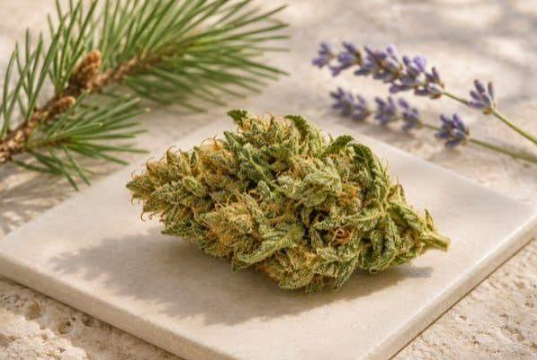
A French-language CBD flower listing is easier to read when you know which details to look for. The main information usually sits in the product title, variant selector, packaging details, and any linked analysis. You can compare these sections even if the rest of the page uses unfamiliar French wording.
Find the details behind the product name
A page labeled fleurs cbd refers to CBD flowers. An individual listing may give a variety name first and explain the flower size or cultivation method farther down. Look for “poids net” for net weight and “lot” for the batch. If the listing has a drop-down menu, make sure the weight belongs to the option you selected.
Cultivation terms can also be useful. “Sous serre” refers to greenhouse growing, while “en extérieur” refers to growing outdoors. A cultivation term describes the growing environment. To understand the finished product, read it alongside the flower description, packaging details, and any available batch report.
See also: Psilocybin and Sleep: What Happens to Rest Before, During, and After a Session
Calculate the price for the same amount
Some listings show the price of the smallest option beside the main photo. Select a package size before using the displayed price for a comparison. For example, a €12 package with 3 grams costs €4 per gram. A €20 package with 5 grams costs the same per gram. Delivery fees can change the final comparison, especially for small orders.
Also check whether a discount depends on quantity or a promotion code. If the conditions are unclear, use the regular price as your comparison point until you can confirm the checkout total.
Check the batch information
“Analyse” and “certificat d’analyse” can help you locate lab information. Look for a report that identifies the product and the batch or sample it covers. Check the units next to the figures and compare dates if there are several versions.
Once you know the package weight, price per gram, and batch details, French product descriptions become much easier to compare. Those fields also help you spot where two similar-looking listings differ.
Look for variant details in the cart
A product title can stay the same after you change options such as weight or flower size. Once you have chosen a variant, check the line item in the cart for the size and quantity. In French, “quantité” may refer to the number of packages. If you select two 3-gram packages, for example, the cart may show a quantity of two rather than six grams. Both numbers can be correct because they describe different things.
If you are comparing small buds with whole flowers, record the format as its own field. A price difference may reflect how the flower is sorted or packaged. A short list with separate columns for format, package weight, shipping, and final price makes that difference visible.
Match translated text to the original page
Automatic translations sometimes render the same French term differently across a product page. If a translated description and a package photo seem to disagree, use the original French text to check the field name and its value. Product numbers and lot references are especially helpful because they stay the same across languages.
Save the information for the variant you reviewed if you plan to return to it later. The product title alone may bring you back to the default size, and the first price you see may belong to that default option.


